The Checklist for Vetting a New Accounting Software Integration

Ever felt that tight knot forming in your stomach when your current accounting system starts acting up during tax season? I remember the sinking feeling — the late nights, the frantic calls to support, and that nagging doubt about whether my data was accurate. One year, after a particularly chaotic quarter, I realized I had blindly trusted the latest software upgrade without properly vetting it. The result? Discrepancies in my reports that took weeks to untangle, risking audit flags and lost deductions.
That lightbulb moment was a game-changer. I understood that the key to smooth financial operations isn’t just choosing the most popular software but ensuring it integrates seamlessly with existing systems. Today, I want to share with you a tried-and-true checklist I developed—something I wish I had access to when I started. Whether you’re a seasoned CPA or a small business owner stepping into the software overhaul game, this guide will help you avoid costly mistakes and ensure your new integration supports your growth.
Why You Can’t Afford to Skip the Vetting Process
In my early days, I overlooked the importance of thoroughly vetting new accounting software. Big mistake. The wrong choice can lead to compliance issues, inaccurate reports, and even jeopardize your relationship with tax agencies. Data security is another critical concern — a recent study indicates that data breaches cost SMBs over $200,000 on average, and financial data is a prime target (Financial regulations and security).
Having learned the hard way, I now understand that a detailed vetting process isn’t just advisable; it’s essential. It acts as a safeguard against hidden pitfalls that could cause headaches months down the line. Today, we’ll walk through a comprehensive checklist that ensures your software integration is both reliable and compliant, helping you make informed decisions and save time and money in the long run.
Skeptical? Wondering if all this effort is worth it?
Trust me, I was there. I thought a quick demo or a few reviews would suffice. But missing out on deeper checks led me to rework my entire setup months later. Early mistakes like overlooking integration compatibility or neglecting user permission controls cost me precious weeks. Don’t make the same error. Proper vetting is your best defense against future chaos.
Now, let’s get into the practical steps that will help you evaluate any new accounting system thoroughly and confidently. Ready to safeguard your financial peace of mind? Let’s dive in.
Run a Compatibility Check to Avoid Future Headaches
Before making any commitments, physically test your new software on a sample dataset that mirrors your real financial structure. When I replaced my accounting platform last year, I created a sandbox environment and imported a month of transaction data. This early trial uncovered sync issues with my bank feeds and incompatibility with some payroll plugins. Addressing these quirks upfront saved me weeks of corrective work later and prevented audit risks. Think of this step as testing drive — you’d never buy a car without a test drive, so don’t skip it with your software.
Map Your Data Path and Spot Gaps
Break down your current data flows—transactions, payroll, tax records—and plan how they’ll move through the new system. I vividly remember during my initial integration, I overlooked how my custom expense categories would transfer, leading to miscategorized reports. To avoid this, I created detailed flowcharts and tested each segment. This mapping process isn’t just documentation; it ensures nothing falls through the cracks, much like a GPS rerouting before a long trip. For complex setups, consider consulting a CPA or a dedicated data migration specialist (see how CPA services can help).
Test Real Transactions, Not Just Dummy Data
Dummy testing becomes a default, but it’s crucial to test with actual transactions that reflect your business cycle. For example, I processed a full payroll cycle and a month of sales — errors in tax calculations and misapplied deductions arose, which I corrected before going live. This real-world testing exposes subtle bugs and helps fine-tune automation rules, ensuring accuracy during critical periods like tax season.
Vet Integration with Compliance and Security Checks
Beyond functionality, verify your software complies with data security standards and tax regulations. I personally reviewed security protocols and encrypted connections, then cross-checked my compliance status through a dedicated audit support service (see audit support strategies). This safeguards sensitive info and prevents costly penalties. Remember, letting unvetted software access your financial data is like giving your house keys to a stranger—never advisable.
Train Your Team and Document Procedures
Technical accuracy is just the start; your team must understand how to operate the new system efficiently. I scheduled hands-on training sessions and created step-by-step guides, which reduced user errors. As your business scales, ongoing training becomes vital. Ineffective training can turn a smooth rollout into chaos, akin to teaching someone to drive without a manual. For expert insights into payroll and tax compliance, check mastering payroll compliance.
Establish a Staged Rollout
Implement the new system gradually, starting with a pilot department, then expanding as issues resolve. I initiated a phased rollout—initially with my accounting team—before going company-wide. This approach limits disruptions and allows for quick corrective actions. Think of it as gradual healing rather than surgery—it’s safer and more manageable. Remember, thorough testing and phased immersion prevent small bugs from becoming big crises.
Monitor, Review, and Adjust Regularly
Post-implementation, set up a continuous monitoring regime. Track discrepancies, audit logs, and user feedback. During my first quarter, I noticed a recurring mismatch in inventory data, which I addressed by adjusting data import routines. Regular reviews ensure your system adapts to evolving business needs and regulatory changes, helping you stay ahead and avoid costly errors. For keeping pace with tax updates, explore tax change strategies.
Mastering these steps requires diligence but results in a resilient, compliant, and efficient financial system. It’s not just about installing new software but transforming your entire data ecosystem to support growth and peace of mind.
Many professionals believe they fully understand the nuances of audit support, payroll, or tax preparation, but the reality is that most get it wrong at some crucial level. A common misconception revolves around the belief that if your software or CPA is compliant on paper, you’re set. However, a deeper issue lies in the often-overlooked compliance nuances or strategic missteps that can cause major headaches. For example, relying solely on automated payroll systems without understanding how local state taxes interact can lead to costly penalties—a trap that snags even experienced business owners (see how to master payroll compliance).
Are You Overlooking the Most Critical Compliance Clues?
Many assume that a quick review of your CPA’s work or monthly software checks are enough. But the real expertise lies in the meticulous examination of your company’s specific compliance obligations, which can vary significantly based on your industry, location, and company structure. Ignoring these nuances might seem harmless but can act as a ticking time bomb for IRS scrutiny or costly audits. For instance, improper categorization of expenses might seem minor but could disqualify your deductions, leading to larger liabilities later—something experts warn against (see why depreciation schedules matter).
Furthermore, many underestimate the strategic value of audit support. It’s not merely about responding to IRS notices but proactively preparing your records to withstand scrutiny and defend your positions confidently. In fact, a comprehensive audit support plan can often reveal overlooked deductions or corrections that save you thousands (discover the audit support essentials).
Making these mistakes is often an
Investing in Reliable Tools for Continuous Operation
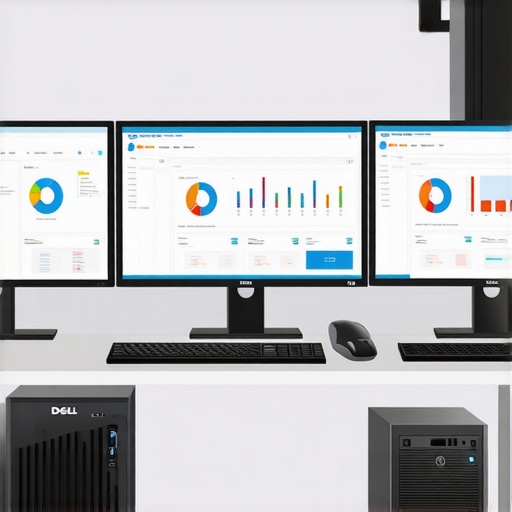
Maintaining a robust financial infrastructure requires more than just software; it demands reliable hardware and strategic tools. I personally recommend using Dell OptiPlex desktops equipped with SSD drives because they provide the speed and durability essential for handling large accounting files without frustrating lag or crashes. Paired with UPS (Uninterruptible Power Supplies), this setup ensures your critical data remains safe during outages, preventing costly data corruption or loss.